Register a Device definition
Registering the product/device definition is the first step before connecting physical device instances to AirNgin.
The registration process has two main stages. Enter the information carefully: after final support approval, some definition fields may no longer be editable through the normal flow.
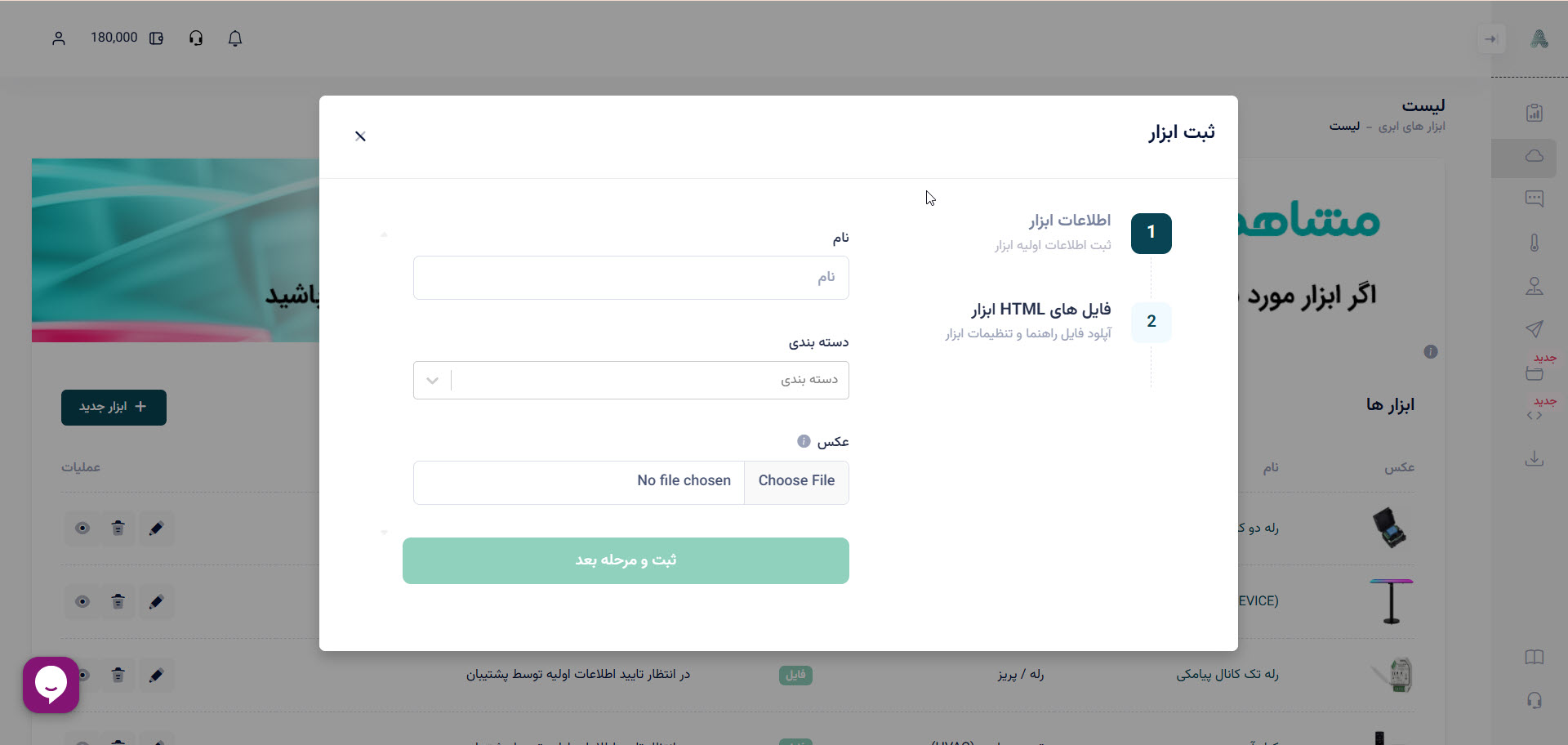
Stage 1 — base Device information
Device name
Choose a unique product name. The current panel expects a name between 3 and 300 characters and rejects duplicate names where applicable.
Device category
Select the category that best describes the product. Categories are used to organize Devices in the mobile application and help users find the correct product type.
Device image
The source documentation specifies the following image guidance:
- canvas size:
700 × 700pixels; - white background;
- product centered in the image;
- recommended product area: approximately
520 × 440pixels; - JPG or PNG;
- maximum source upload size: 14 MB;
- use a real representation of the final product rather than a conceptual schematic.
Stage 2 — upload product HTML files
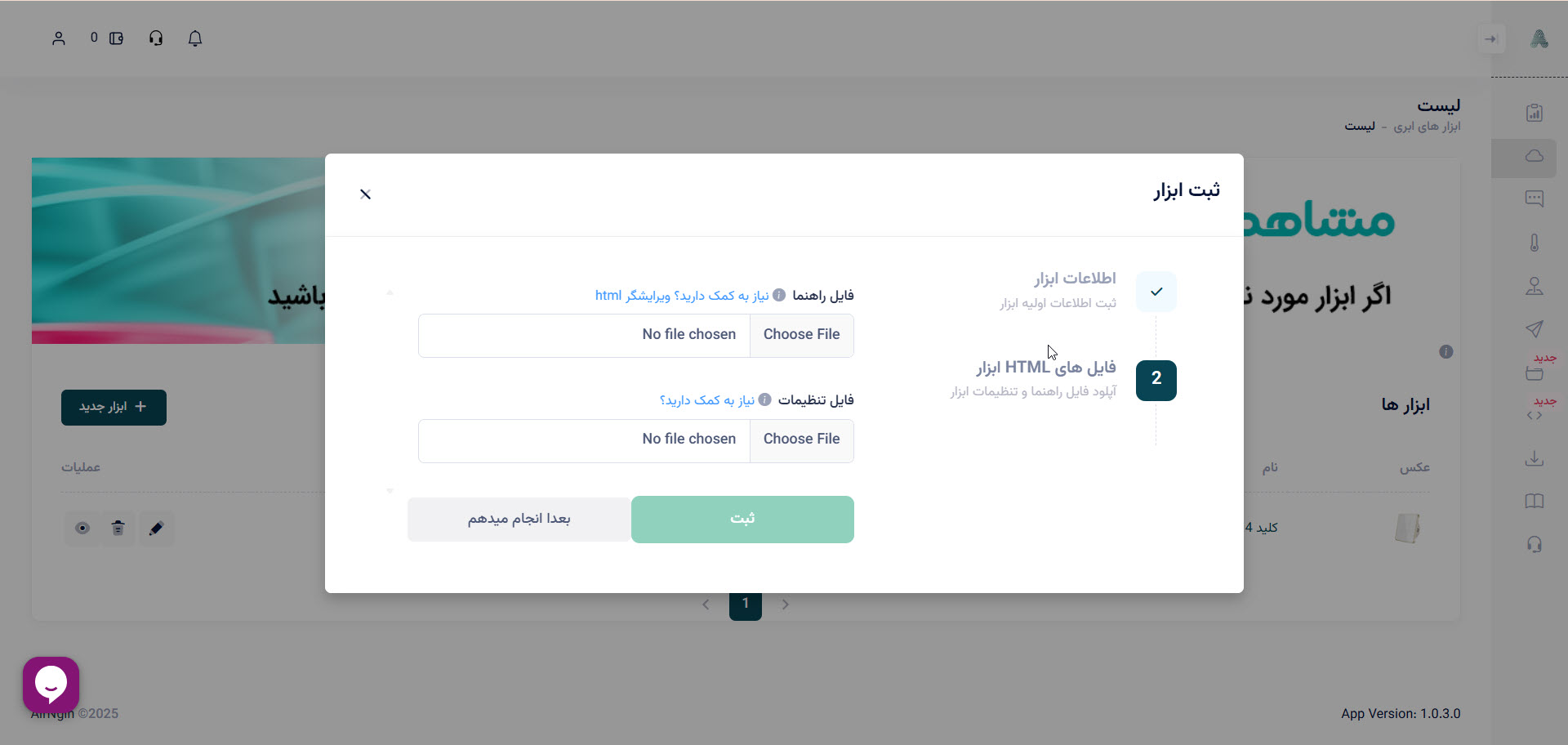
Upload the HTML content required by your Device definition. One important file is the Help HTML, which is shown to end users in the application.
The Help HTML can contain:
- installation and operating instructions;
- explanation of buttons, sensors, states, and settings;
- wiring/help diagrams;
- troubleshooting information;
- product images and instructional content.
Keep the page responsive so it works correctly on phones, tablets, and larger panels.
For interactive configuration, use the separate Dedicated Setting HTML contract; do not confuse it with Help HTML.
After the Device definition is created, continue with Operation Groups and Operations and DeviceSerial.