Firmware update
The current server-side OTA security/download contract is under redesign. This page documents the legacy/current behavior only and must not be treated as the final long-term OTA contract. Do not build new architecture that depends on undocumented OTA details until the replacement canonical specification is published.
AirNgin can distribute uploaded firmware builds to eligible Devices so end users can request an available version from the application.
Producer panel
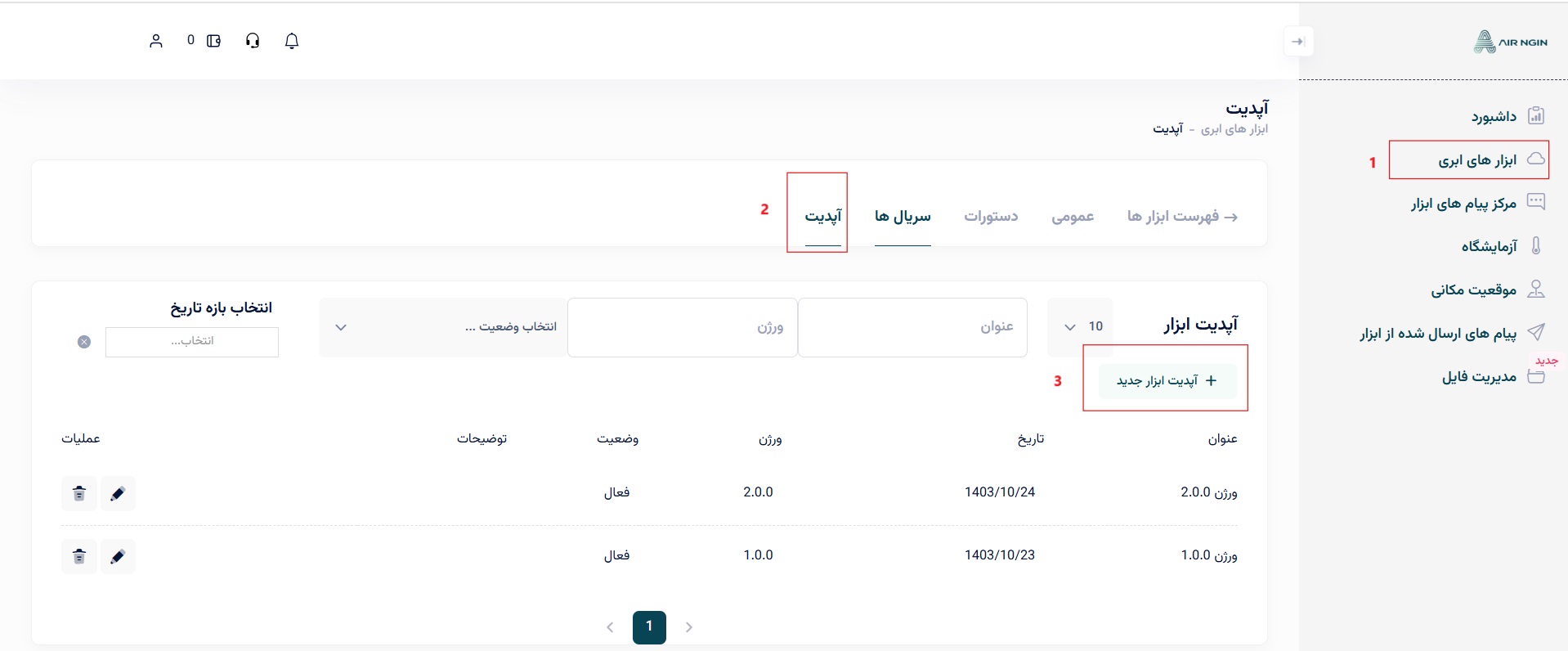
Upload Device firmware from the producer panel under the selected Device's update section.
Legacy Device notification
The current legacy flow sends firmware-update information through the Direct Device server command path:
projectCode/ServerToDevice
The command uses:
operationName = firmware_update
and the value contains update metadata such as the download link, certificate information required by the legacy secure download flow, and a UTC value used to initialize the Device clock.
Conceptual value:
{
  "link": "https://.../firmware.bin",
  "cert": "-----BEGIN CERTIFICATE----- ...",
  "utc": "01/13/2025 11:28:12"
}
The target firmware should validate that the command is intended for its own deviceSerial, establish a valid clock/TLS context, download the firmware through the supported secure channel, and use the platform/MCU OTA mechanism.
Because the canonical OTA validation model is deferred, do not infer final checksum/signature behavior from the legacy example.